How do I create a post?
1. Login to the WayBase account that you would like to make a post from.
2. In the top right corner of your screen click on your account name and then click on 'My Posts'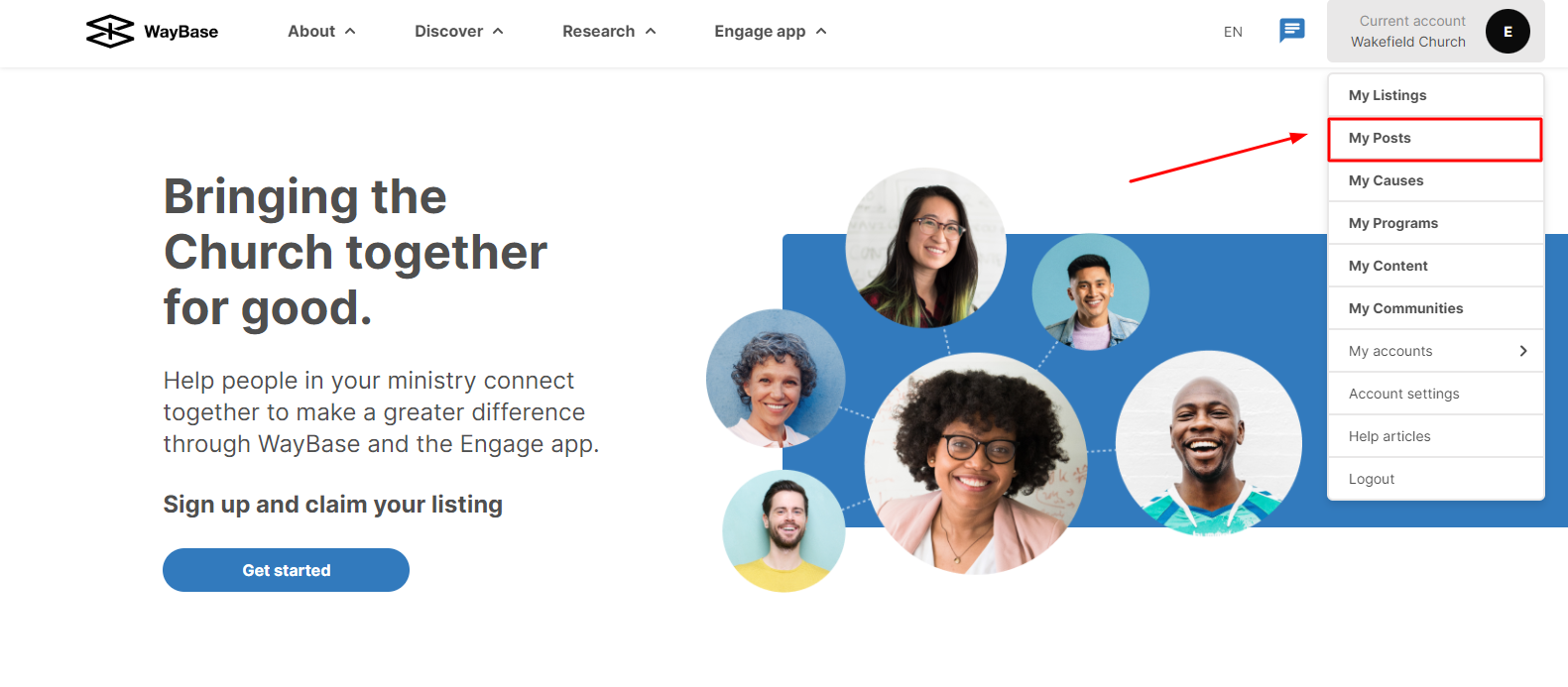
3. If this is the first time creating a post, you will need to select the blue button 'Create your first post'.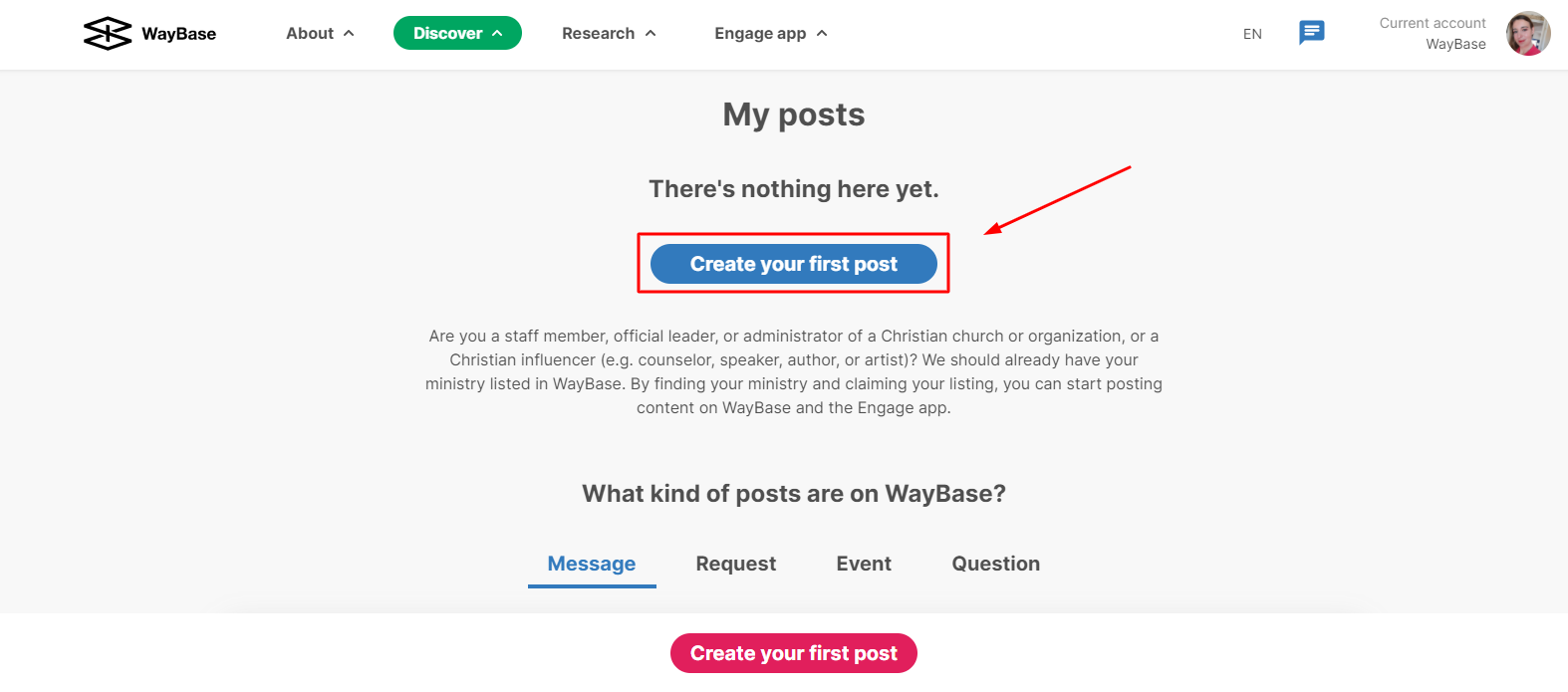
 If this is not the first post on your account, you will need to select the green button on the top-left corner that says 'New post'.
 4. You will be prompted to fill out all the fields that are relevant for your post.